Activate your digital signature
Activate your signature in the CaixaBank app
We have integrated the signature into the CaixaBank app, your digital banking. Activate it and delete the CaixaBank Sign app.
- You can do all this in the "Security" section of the CaixaBank app.
- You no longer need the CaixaBank Sign app, so you can delete it from your phone
- Authorise your transactions anywhere with total security.
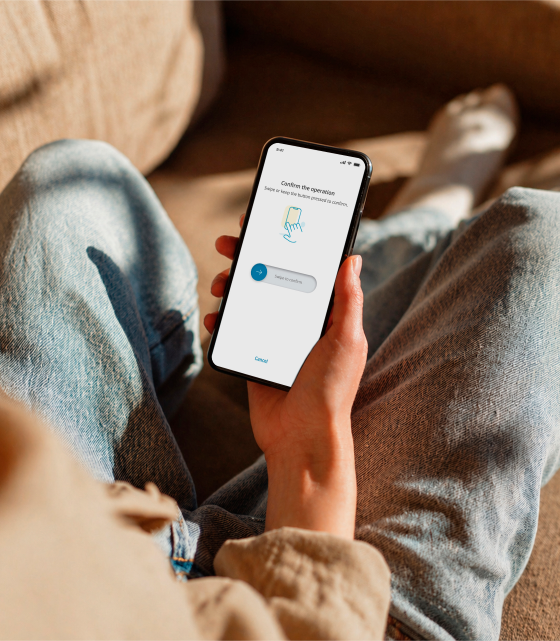
How to activate your digital signature
Activating your signature is easy
If you have multiple login credentials (ID and password), you will have to activate a signature for each one.
-
Sign in to your online banking
Enter your username and password to access the CaixaBank app or website.
-
Go to the "Signature" section
Go to "Profile", select "Security" and then "Signature".
-
Activate your new signature
Select the "Activate signature" option and follow the instructions to enjoy the benefits of digital banking.
Frequently asked questions about activating your signature
-
You can continue to use the CaixaBank Sign app for the time being. However, it will soon become obsolete.
Therefore, we recommend that you activate your signature in the CaixaBank app as soon as possible and then delete the CaixaBank Sign app from your device.
-
If you delete the CaixaBank Sign app directly, when you try to carry out a transaction in your online banking account, you will not be able to complete it. Therefore, we recommend activating your signature in the CaixaBank app to complete your transactions normally.
-
If you are carrying out a transaction on the same device where you have your signature activated, you will not have to leave the app to authorise your transactions.
We will ask you to confirm the transaction by swiping or holding down your finger.
-
No, for security reasons, you can only activate your signature on mobile devices.
If you start a transaction on your computer, we will ask you to confirm it on your signature device.
-
You can only have your signature enabled on a single device.
If you have changed your mobile device or want to activate it on a different device to the current one, you will have to:
- Open the CaixaBank app
- Go to "Profile"
- Access "Security"
- Then go to "Signature"
- And select the option "Activate signature on this device"
If you activate your signature on a new device, the signature on the previous device will be deactivated.
- 4.9 ★ 1.08M reviews on Google Play
- 4.7 ★ on the App Store 441,000 reviews
Download the CaixaBank app and take your bank with you wherever you go.
Scan the QR code or download it from your App Store or Google Play.